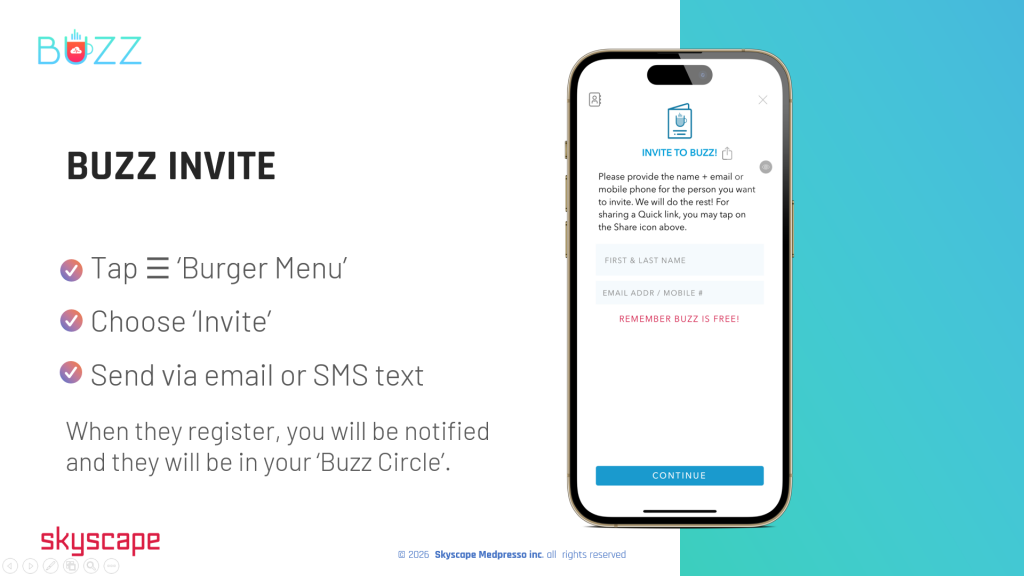
Buzz Invite
Expand your network, invite others from inside or outside the organization to collaborate. Invite anyone to Buzz. Invite your colleagues and 3rd party providers to Buzz.
⚬ 👆Tap the ☰ ‘Burger Menu’
⚬ Choose ‘Invite’
⚬ Send the invite via 📧 email or by💬 SMS text message (SMS is preferred)
When you send an invite, it will provide them with instructions to download the Buzz app along with an invite code for them to enter.
You will receive a notification once they complete their registration, and they will officially join your Buzz Circle.
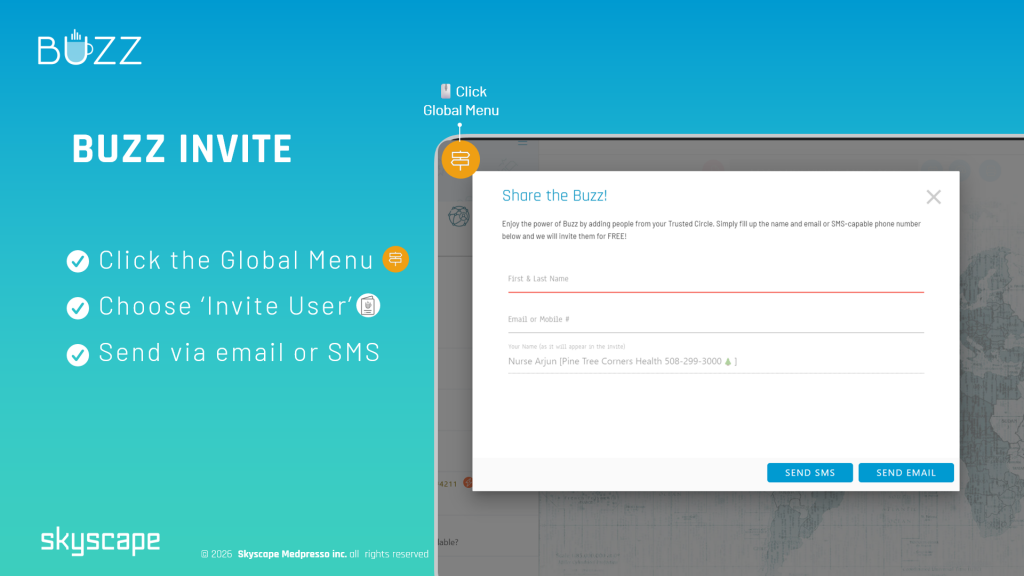
⚬ Visit https://buzz.skyscape.com/login
⚬🖱️Click the ‘Global Menu’ icon 
⚬ Choose/search ‘Invite’
⚬🖱️Click ‘New Invite’
⚬ Send the invite via 📧email or 💬SMS text message (SMS is preferred)
When you send an invite, it will provide them with instructions to download the Buzz app along with an invite code for them to enter.
You will receive a notification once they complete their registration, and they will officially join your Buzz Circle.