Skip to main content
Help Center
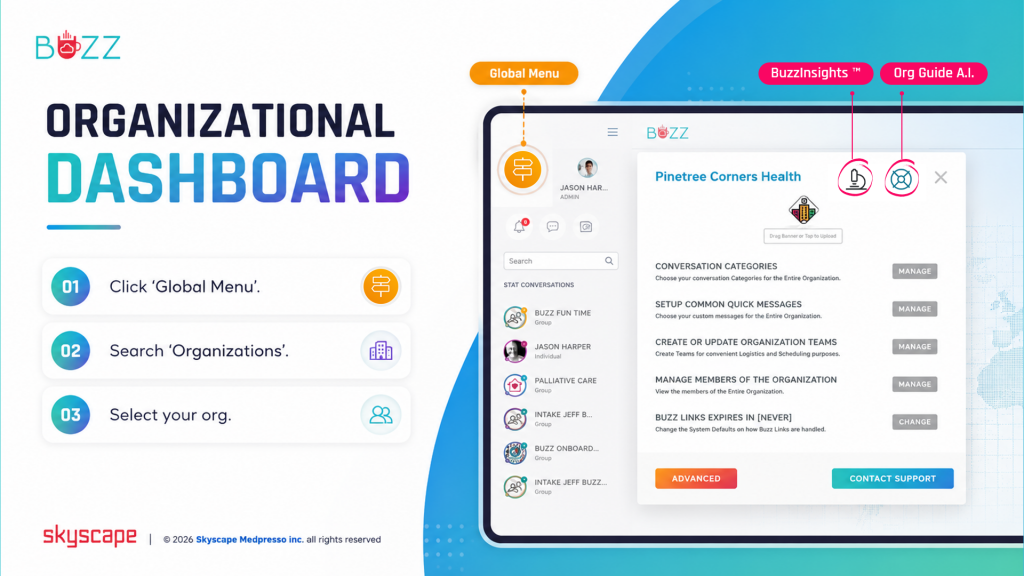
The Buzz Org Guide and Assistant panel will give you access on how to manage how your organization appears in Buzz, who belongs to it, and org-wide messaging rules. It contains a quick map of every control in this menu and in Advanced settings.
⚬ 🖱️Click the ‘Global Menu’ 
⚬ Choose ‘Organizations’
⚬ Select your org
⚬ 🖱️Click the ‘life preserver’ 🛟 icon in the upper right corner of the screen