Skip to main content
Help Center
A notification is sent when a message is marked as STAT (urgent).
Choose the sound you want to associate with this notification.
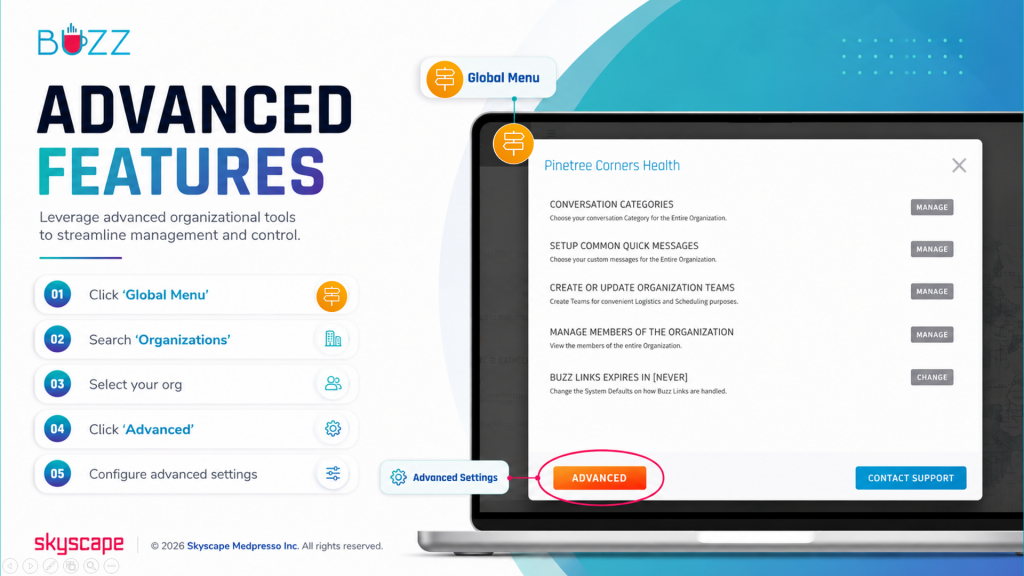
⚬ 🖱️Click the ‘Global Menu’ 
⚬ Choose ‘Organizations’
⚬ Select your org
⚬ 🖱️Click ‘Advanced’
⚬ Click ‘Manage’ next to ‘STAT Notification Sound’