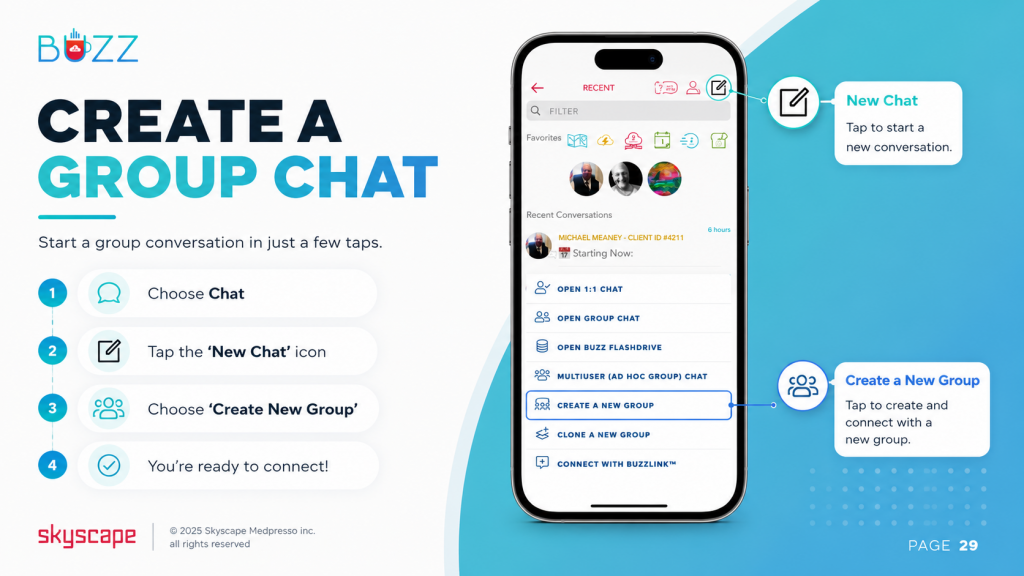
- Choose ‘Chat’
- 👆 Tap the ‘New Chat’ icon

- Select ‘Create a New Group’
When you create a group, you automatically assume the role of Admin.
As the Admin, you have the ability to transfer your ‘Admin’ privileges to another member or assign ‘Manager’ privileges to anyone within the group. Managers are empowered to add or remove members and share previous messages.
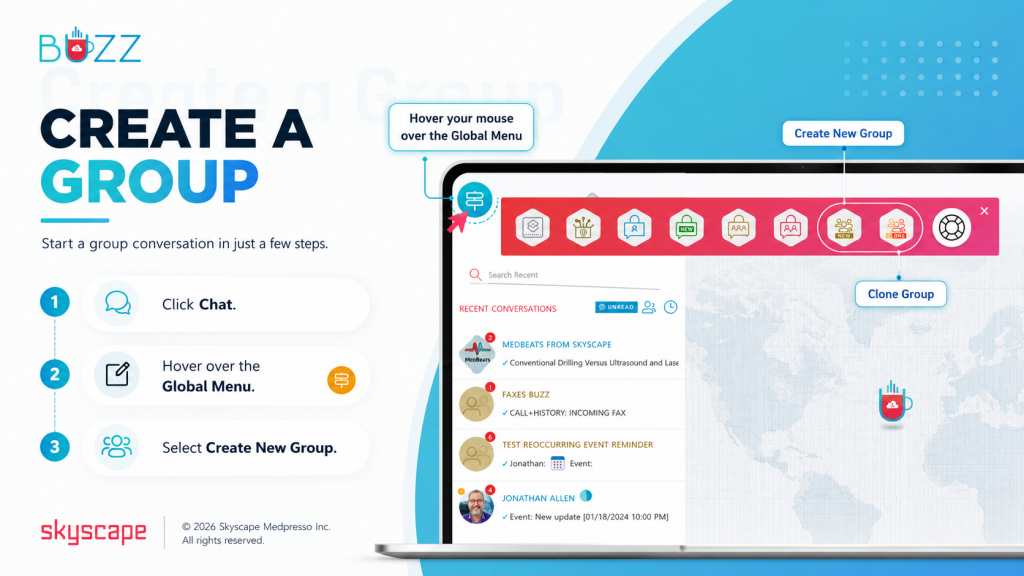
⚬ 🖱️Click ‘Chat(s)’
⚬ Hover your mouse over the ‘Global Actions’ icon  (directional sign icon located in the upper left corner of the screen) to view the ‘Tool Bar’
⚬ Choose ‘Create New Group’ or ‘Clone Group’
When you create a group, you automatically assume the role of Admin.
As the Admin, you have the ability to transfer your ‘Admin’ privileges to another member or assign ‘Manager’ privileges to anyone within the group. Managers are empowered to add or remove members and share previous messages.