Skip to main content
Help Center
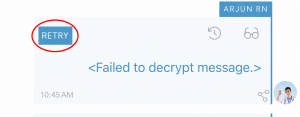
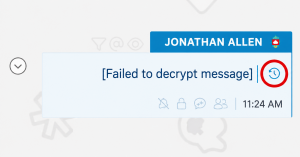
If you ever receive a message that shows ‘Failed to decrypt message’ it most likely due to the encryption keys being out of sync.
This could have happened for a few possible reasons:
- Your encryption keys were reset
- The Senders encryption keys were reset
To fix this:
- Log out of Buzz and Log Back in. This will refresh and sync your encryption keys
- Have the person sending the ‘failed to decrypt’ messages Log Out of Buzz and Log Back in. This will refresh their encryption keys.
- Click/tap on ‘Retry’ or the ‘Reload’
 icon to ‘Request the Sender to Resend’ the message.