Skip to main content
Help Center
The BuzzLink™ Master Group enables you to create a template group which is cloned by the system anytime a new BuzzLink™ is created by one of the members of the master group and the BuzzLink™ user is added to this group.
This allows everyone in the care team to then be aware of all the communication that happens with the patient.
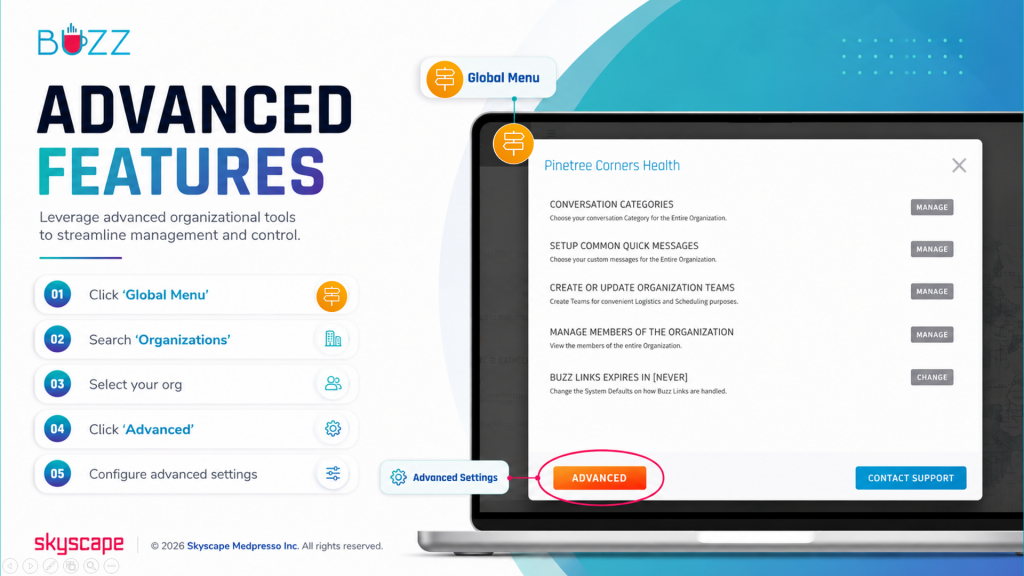
⚬ 🖱️Click the ‘Global Menu’ 
⚬ Choose ‘Organizations’
⚬ Select your org
⚬ 🖱️Click ‘Advanced’
⚬ Click ‘Set’ to set the master group