Skip to main content
Help Center
When adding new members to the Buzz Organization, an account is set up for them using the organization’s Temp Password
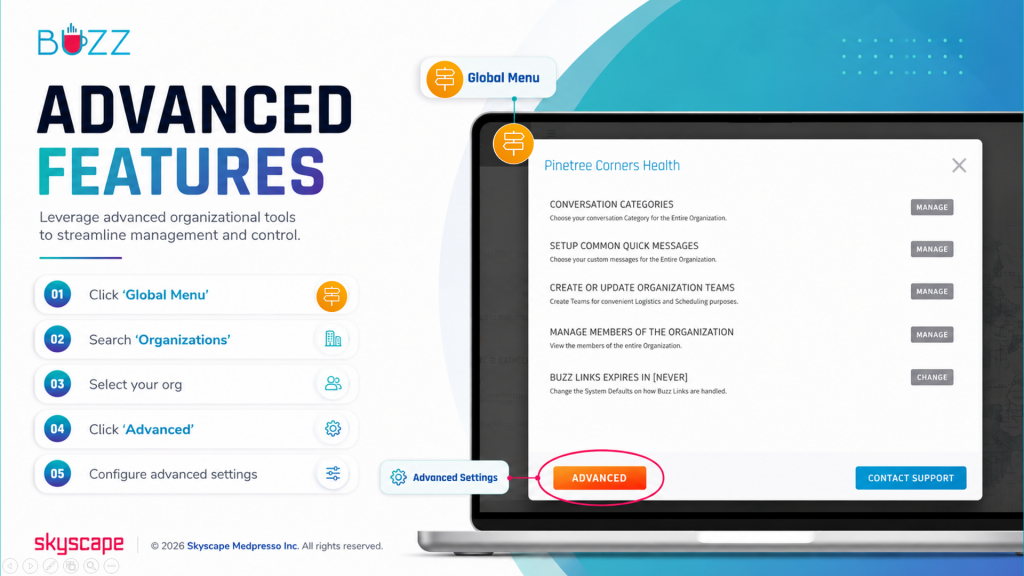
⚬ 🖱️Click the ‘Global Menu’ 
⚬ Choose ‘Organizations’
⚬ Select your org
⚬ Click ‘Advanced’
⚬ 🖱️Click ‘View’ next to ‘Temporary Password for New Accounts’